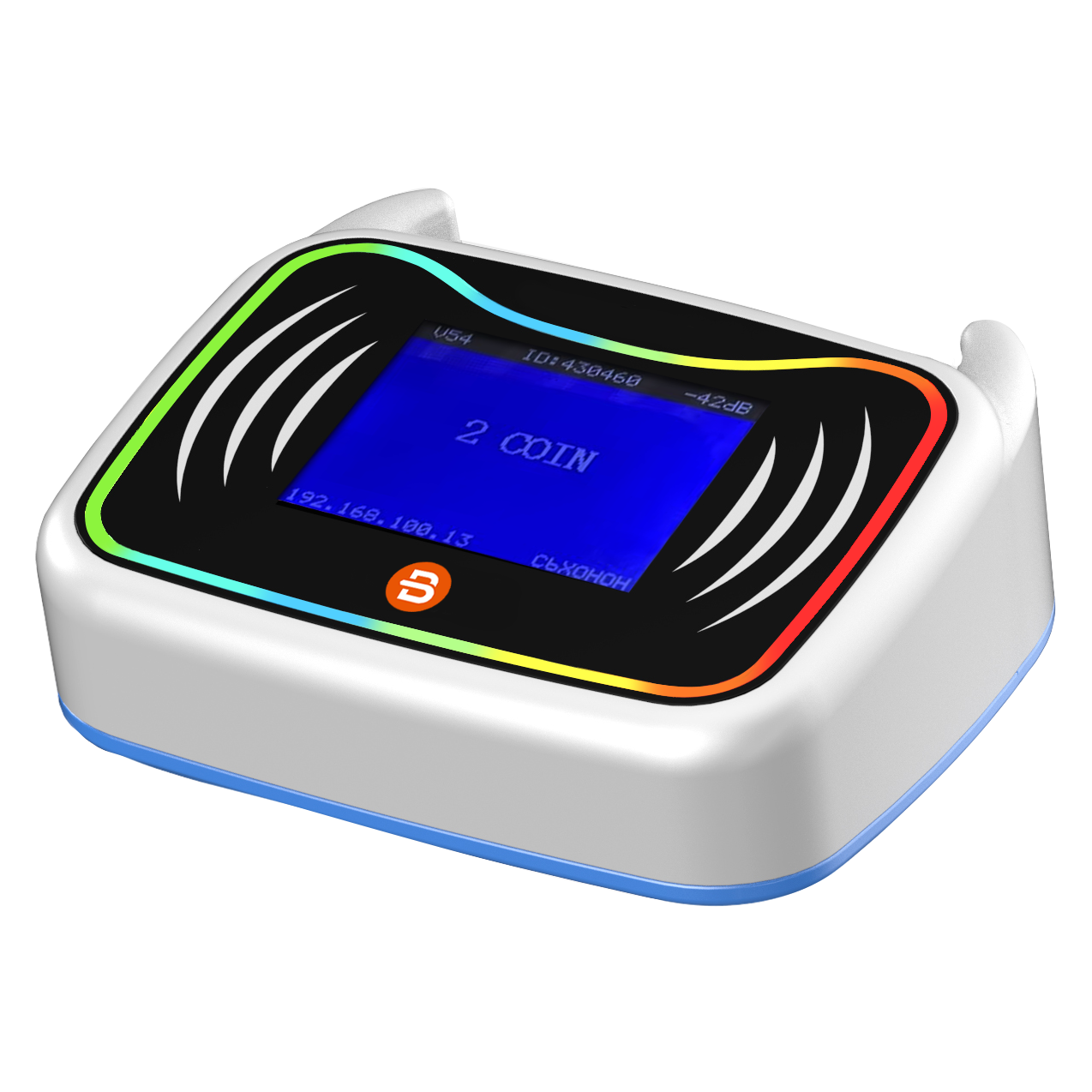
An arcade kiosk allows players to complete common transactions without waiting for assistance at the front desk. Instead of relying entirely on staff to sell game cards, add credits, or process payments, customers can use a self-service terminal to access these services independently.
For modern arcades and family entertainment centers (FECs), self-service technology can make the customer journey smoother while helping staff focus on venue operations and customer support. However, not every kiosk offers the same functions. Some are designed for card recharge, while others support new card issuing, token exchange, ticketing, or multiple payment options.
Understanding these differences is essential when choosing an arcade kiosk that fits your venue's business model and existing management system.
What Is an Arcade Kiosk?
An arcade kiosk is a self-service terminal that allows customers to complete selected transactions inside an arcade or entertainment venue.
Depending on its configuration, it may support:
- Purchasing new game cards
- Recharging existing cards
- Checking card balances
- Purchasing game credits or packages
- Making cashless or cash payments
- Dispensing cards, tokens, or other configured items
- Registering customer or membership information
Most self-service terminals combine a touchscreen interface, payment components, card readers, and software that connects transactions to the venue's management platform.
For example, a customer entering an arcade could approach a kiosk, purchase a game card, select a credit package, complete payment, and begin playing without visiting the cashier.
This creates a more convenient purchasing experience and reduces the number of routine transactions handled manually by employees.
How Does an Arcade Self-Service Kiosk Work?
Although hardware and software configurations vary, most self-service transactions follow a similar process.
1. Customer Selects a Service
The touchscreen displays available options, such as purchasing a new card, recharging an existing card, checking a balance, or selecting a credit package.
A clear interface helps customers understand each option and complete transactions with minimal assistance.
2. Customer Scans or Receives a Game Card
For an existing customer, the terminal may use an integrated card reader to identify the player's card.
For new customers, a configured card dispensing mechanism can issue a new game card. The exact issuing process depends on the card technology and kiosk hardware.
3. Customer Selects a Package
Customers can choose from available recharge amounts, game credit packages, or promotional offers.
For example, a venue may offer different top-up tiers to encourage customers to purchase more credits in a single transaction.
The available options should be configured according to the venue's pricing and membership strategy.
4. Customer Completes Payment
Depending on the hardware and payment integration, the kiosk may accept cash, bank cards, contactless payments, or supported QR payment methods.
Payment availability varies by country, provider, and device configuration. Operators should confirm local payment compatibility before purchasing equipment.
5. Credits or Services Are Updated
After payment is successfully confirmed, the system processes the corresponding transaction.
For a card recharge, the player's account balance is updated. For a new card purchase, the system completes the configured card issuing and activation process.
The customer can then use the card at compatible arcade game readers.
This workflow connects the self-service terminal with the wider arcade card system, helping create a consistent experience from purchase to gameplay.
Key Features of an Arcade Kiosk
When evaluating an arcade kiosk, operators should focus on the actual functions needed in their venue rather than choosing equipment based only on appearance or screen size.
1. Card Recharge and Top-Up
Card recharge is one of the most common applications in cashless arcades.
Players can add credits to their existing game cards without waiting at the cashier. This is particularly useful during weekends, holidays, and other busy periods.
A well-designed recharge process should make it easy to identify a card, select an amount, complete payment, and confirm the updated balance.
2. New Card Issuing and Dispensing
Some self-service terminals include an automatic card dispenser.
This allows new customers to purchase and receive game cards independently. The kiosk may also connect card issuing with customer registration or membership creation, depending on the software configuration.
For venues with high customer turnover, automated card distribution can reduce repetitive front-desk work.
3. Multiple Payment Options
Payment flexibility is another important consideration.
Depending on the selected configuration, a payment kiosk may support:
- Cash and banknotes
- Credit and debit cards
- Contactless payments
- Mobile payment methods
- QR code payments
For international arcade operators, local payment compatibility deserves particular attention. A payment method commonly used in one country may not be available or commercially suitable in another.
Before purchasing, confirm the supported payment providers, hardware requirements, transaction processing, and integration responsibilities.
4. Touchscreen User Interface
The touchscreen is the main interaction point between customers and the machine.
A user-friendly interface should provide clear instructions, easy-to-understand package options, and visible transaction status.
Multilingual support can also be valuable for entertainment venues that serve international visitors.
A simple customer journey reduces confusion and makes self-service more accessible to different age groups.
5. Integration with Management Software
A self-service terminal should not operate as an isolated payment machine.
When connected to arcade management software, transactions can be associated with customer accounts, card balances, payment records, and venue reporting.
This integration helps operators manage transactions more consistently and understand how customers use different sales channels.
Benefits of Using an Arcade Kiosk
1. Reduce Queues at the Front Desk
Long queues can negatively affect the customer experience, especially when players need to purchase or recharge cards before starting a game.
A self-service terminal provides an additional transaction channel, allowing customers to complete routine purchases independently.
This can help distribute customer traffic and reduce pressure on front-desk employees.
2. Improve Operational Efficiency
Employees spend time handling repetitive transactions, including card sales, recharges, and payment processing.
Automating suitable transactions allows staff to focus on customer assistance, equipment monitoring, prize redemption, and other venue responsibilities.
The goal is not necessarily to eliminate front-desk service, but to make better use of available staff.
3. Create More Sales Opportunities
A touchscreen interface can present different credit packages, promotional bundles, and membership options during the purchasing process.
For example, a venue may offer a bonus credit package when customers choose a higher recharge amount.
These options can encourage larger purchases when they match customer needs and the venue's pricing strategy.
However, promotional offers should be configured carefully to maintain clear pricing and a positive customer experience.
4. Provide a More Convenient Customer Experience
Players generally want to spend their time enjoying games rather than waiting to complete transactions.
Self-service purchasing makes it easier to buy a game card, add credits, or select a package.
When the kiosk, card system, and game readers work together, customers can move from purchasing credits to playing games with fewer interruptions.
5. Improve Transaction Visibility
When transactions are connected to a central management platform, operators can review payment records and self-service activity.
Depending on the software, reports may help management understand recharge behavior, sales performance, and customer purchasing patterns.
This information can support decisions about package pricing, promotional campaigns, and front-desk resource allocation.
Arcade Kiosk vs. Traditional Front Desk
A self-service kiosk and a staffed cashier counter serve related but different purposes.
ComparisonArcade KioskTraditional Front DeskTransaction methodCustomer-operatedStaff-assistedCard rechargeSelf-service if supportedStaff processes rechargeNew card issuingAutomated if equippedStaff issues cardsPaymentDepends on configurationDepends on POS setupCustomer assistanceLimited automated guidanceDirect personal supportBest useRoutine transactionsComplex requests and assistance
For most venues, these options do not need to replace each other.
A combined approach can be more practical: customers use self-service terminals for standard purchases, while employees remain available for special requests, customer support, and other services.
How Does an Arcade Kiosk Integrate with an Arcade Card System?
An arcade kiosk is usually one component of a broader cashless arcade solution.
A typical setup may include:
- Arcade Kiosk: Allows customers to purchase and recharge game cards.
- Arcade Card Reader: Installed on compatible game machines to identify cards and process gameplay transactions.
- POS System: Handles front-desk sales, payments, and other transactions.
- Management Software: Connects customer accounts, card balances, transactions, and operational information.
For example, a customer purchases a new card or adds credits through the self-service terminal. The updated account information is then made available to compatible game readers through the connected system.
The POS can provide another sales channel for customers who prefer staff assistance, while management software helps operators oversee transactions across the venue.
The key is integration. Before selecting a kiosk, operators should verify card technology, communication interfaces, software compatibility, payment connections, and the exact functions supported by the complete system.
Not every kiosk is compatible with every arcade card system, so technical confirmation is important before installation.
How to Choose the Right Arcade Kiosk
Choosing the right equipment starts with understanding your venue's actual requirements.
1. Define Your Main Business Requirements
First, identify the transactions customers need to complete.
Does your venue mainly require card recharge? Do you also need new card dispensing, token exchange, ticket purchasing, or balance inquiries?
A clear list of required functions makes it easier to compare different kiosk configurations.
2. Check Card System Compatibility
If your venue already uses an arcade card system, compatibility should be one of the first considerations.
Confirm the card technology, reader requirements, software connection, and communication protocol.
Do not assume that a kiosk can connect to an existing system simply because both products support RFID cards.
3. Evaluate Payment Requirements
Consider the payment methods commonly used by your customers.
For international projects, check whether the selected payment terminal and provider support the destination country, local currency, and required payment methods.
Also clarify who is responsible for payment integration and testing.
4. Consider Hardware and Installation
Review the physical dimensions, touchscreen size, card dispensing capacity, payment components, power requirements, network connection, and installation space.
The kiosk should be easy for customers to access without obstructing entrances or creating additional queues.
5. Review Software and Reporting Capabilities
A good self-service setup should fit into the venue's overall management workflow.
Check how transactions are recorded, how card balances are updated, and whether management can review relevant sales information.
Also consider software updates, technical support, maintenance, and future expansion.
6. Plan for Future Growth
A small arcade and a multi-attraction entertainment center may have very different transaction requirements.
If your venue plans to expand, consider whether the system can accommodate additional kiosks, more game machines, new payment methods, and multiple locations.
Planning ahead can reduce the need for major system changes as the business grows.
Conclusion
An arcade kiosk is more than a touchscreen payment machine. When configured for the needs of an entertainment venue, it can support card sales, credit recharges, customer self-service, and other routine transactions.
For arcade and FEC operators, the right solution should combine convenient customer interactions with reliable payment processing and integration with the existing arcade management system.
Before choosing a device, evaluate its supported functions, card compatibility, payment options, software integration, and long-term operational requirements.
A well-integrated self-service solution can help create a smoother customer journey while making daily venue operations more efficient.
Frequently Asked Questions
What is an arcade kiosk used for?
An arcade kiosk is used for customer self-service transactions, such as purchasing game cards, recharging existing cards, checking balances, and making payments. Available functions depend on the hardware and software configuration.
Can an arcade kiosk recharge game cards?
Yes. Many arcade self-service terminals support card top-ups. Customers can identify their existing card, select a recharge amount, and complete payment. The kiosk must be compatible with the venue's card system.
Can an arcade kiosk issue new game cards?
Some models include a card dispensing mechanism that allows customers to purchase and receive new cards. Card issuing and activation depend on the selected equipment and management software.
What payment methods can an arcade kiosk accept?
Depending on its configuration and destination market, a kiosk may support cash, bank cards, contactless payments, or QR payments. Operators should confirm the supported payment providers and integration requirements.
Does an arcade kiosk need management software?
For integrated card sales and recharge operations, management software is generally needed to connect customer accounts, card balances, and transaction records. The exact architecture depends on the system.
What is the difference between an arcade kiosk and an arcade card reader?
An arcade kiosk is a customer-facing terminal used for transactions such as card purchases and recharges. An arcade card reader is installed on a compatible game machine and reads the player's card to enable gameplay or process game-related transactions. They perform different functions but can work together as part of one arcade card system.